Creating a Personal Campaign View
This how-to guide will focus on how to create your own view based on an existing Campaign view in Advvy. The personal view can be tailored to filter the list using any key field criteria.
Scenario:
Advvy Campaign list displays all campaigns for all clients I’m a member of. However I’m a member of two different Team Groups. How can I create my own views to show the campaigns for each of the Team groups?
Create a Personal Custom View
For the scenario above…
- Navigate to the Campaigns view. The Campaigns view displays all campaigns related to all of the clients that you have been granted permission to see.
- On the Ribbon select [Create View] button. The Advanced Find pop up displays.

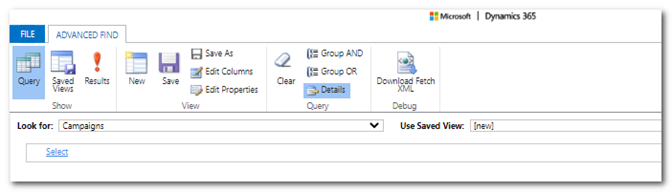
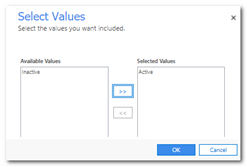
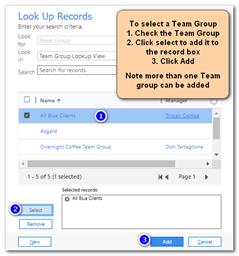
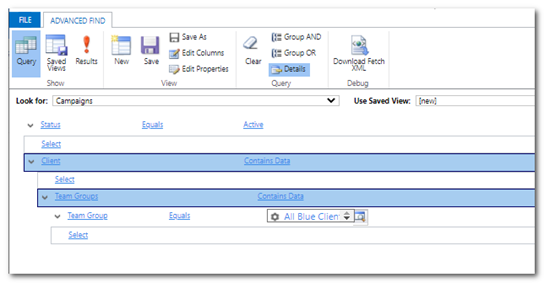
- Build the query that will filter the list based on the following criteria:
a. Select Field: ‘Status’ Equals ‘Active’
b. Select Related Field: ‘Client’ Contains Data
c. Select Related Field: ‘Team Groups’ Contains Data
d. Select Field: ‘Team Group’ Equals ‘<team group>’
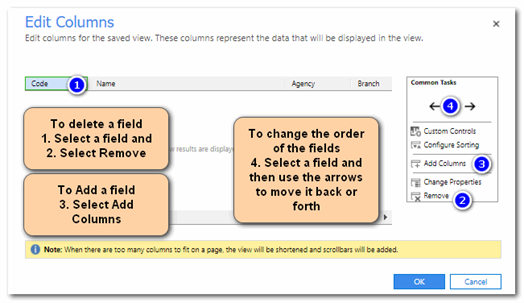
- Customise the view by selecting which fields should appear and the order of the fields.
a. On the toolbar select [Edit Columns]
b. The columns will be listed and you can further customise the columns by either
i. removing fields,
ii. adding new fields, and
iii. rearranging the order of the fields
- Check the View by selecting [Results!] and adjust accordingly.
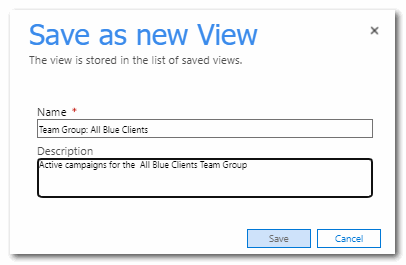
- When you are happy with your new view, click [Save As] and add a meaningful name for the view.
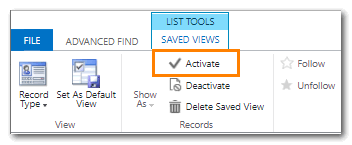
- Select the saved view and select [Activate] to ensure the view displays in your personal view list
- Close the Query editor. You can select your personalised view from the Dropdown List.
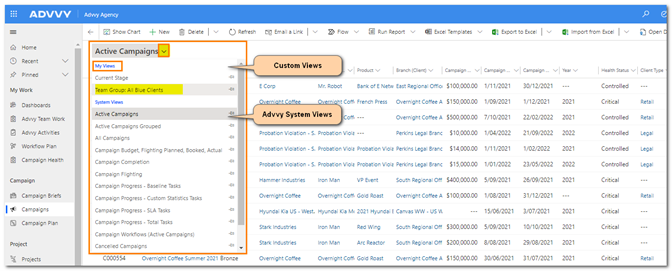
Note: Personalised Views are visible only by the user who created the view.
Share a Personal View with other People
- Navigate to the Campaigns view.
- On the Ribbon select [Create View] button. The Advanced Find pop up displays.
- Select [Saved Views] to display the list of custom views.
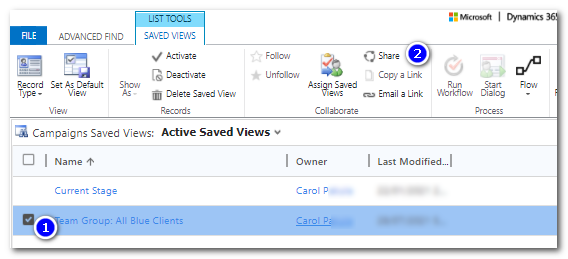
- Click on the view to highlight and then select [Share].
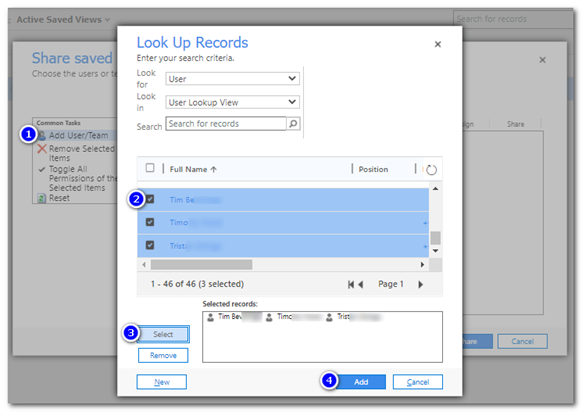
- Select [Add User/Team] and select one or more users that you want to share this view.
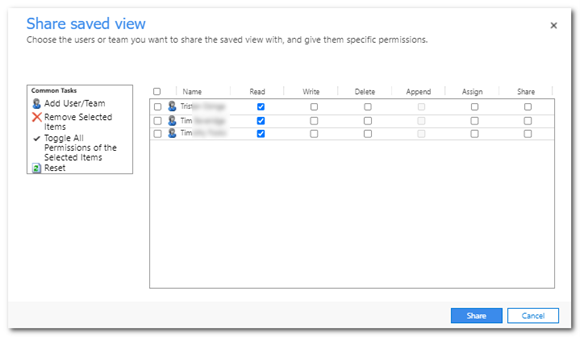
- You can also control what other users can do with this view- read only, or Read and Write to allow them to edit the view .
Select [Share].
Throughout Advvy you can create your own set of personal view to display information in the format you require.
Some views may need special queries to filter the information correctly. If you need more help, just contact Advvy Support.