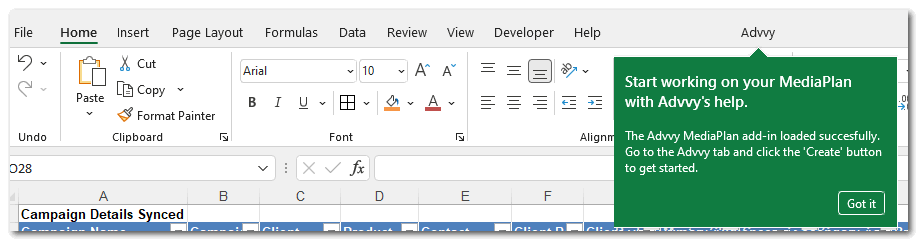
Advvy Add-in for Excel
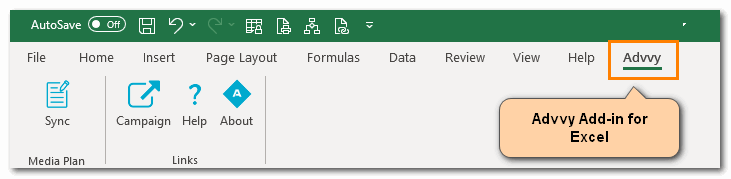
The Advvy Add-In for Excel is an Office 365 “Add-in” that enables data to be transferred from an Excel based media plan to the Advvy Application.
Your IT Administrators control your permissions to use this app. It is an app that needs to be added to your organisations Microsoft Azure environment to allow users to see the Add-in when you launch Excel on the desktop.
Contact your IT administrators to check if this add-in is enabled.
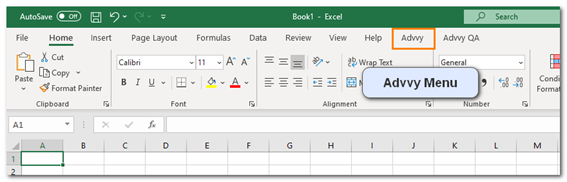
Once available when accessing Excel, the Advvy menu will appear at the top with the other Excel Menu items.
If the add-in doesn’t appear automatically, you can try to manually add it using the following steps.
MANAGED Add-in Steps
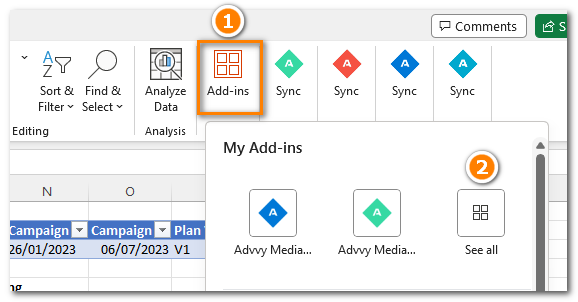
- In the latest version of Microsoft Excel, on the HOME menu click on the [Add-ins] button – See All
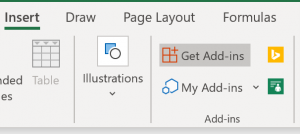
(Previous versions of Excel had the Add-ins on the [INSERT] menu)
- Click on [ADMIN MANAGED] to display the available Add-ins, including the Advvy Media Plan Add-In
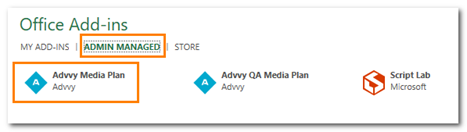
N.B if the Advvy Add-in is not displayed, try the Microsoft Office store steps below. - Click on [Advvy Media Plan] and then click [ADD] at the bottom right.
- The Advvy Menu is now added to Excel and can be used with configured Excel Media Plans.
OFFICE STORE Add-in Steps
- In the latest version of Microsoft Excel, on the HOME menu click on the [Add-ins] button – See All
(Previous versions of Microsoft Excel had the Add-ins on the [INSERT] menu)
- Click on [STORE] to display the available Add-ins, and search for Advvy Media Plan Sync
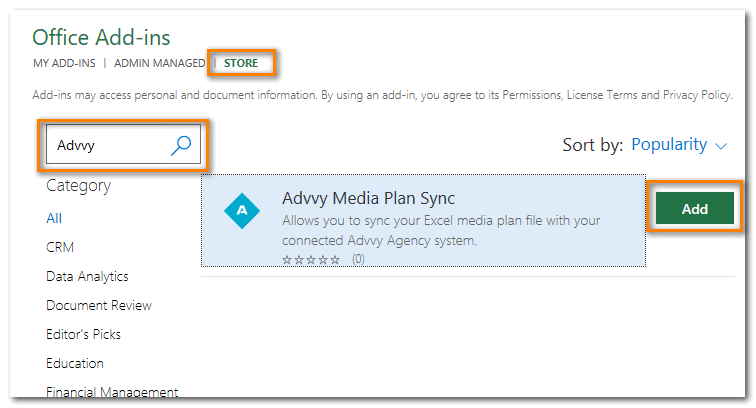
- Click [ADD] and accept the Terms & Conditions to Continue.
- The Advvy Menu is now added to Excel and can be used with configured Excel Media Plans.