What is the Client Portal?
Advvy Portals are highly secure and intuitive websites that connect directly to the supporting Advvy application. Built using the PowerApps Portals framework, it gives users the ability to track workflows and interact with their agency, through client tasks, notes and digital briefing. The first Advvy portal is built specifically for brands to have a better interaction with their agency saving time, effort, and increasing transparency by allowing their client to self-service key metrics.
Key Parts of the Advvy Portal:
- Digitized briefing – Advvy provides a configurable digitized briefing experience. This can replace email briefs and will streamline the workflow experience.
- Campaign details – All campaigns and details like budget and timing are maintained. Clients can easily see all their campaigns in one place and dive into them for more details
- Client tasks – Tasks can be assigned to clients. They can appear as read-only or actionable, requiring the client to complete the task. This is ideal for streamlining client-side approvals.
- MBA’s – Digitized approvals for media bookings from Agency to Client with signature and PO recording.
- Secure extranet – Securely share files with the client simply by saving them to the campaign record. Files saved in Advvy are saved to your organisation’s SharePoint and are instantly accessible to the client for viewing.
- Media Planning – If your agency is using Advvy’s media planning functionality, then the client portal is the place for in-depth media investment reports. Each campaign is displayed in detail, and a master campaign view is maintained for ease of viewing by the client, reducing queries.
Workflow centric capabilities
- Digitized Briefing
- Digitized Media Approvals
- Campaign List and WIP Updates
- Client’s Gantt View of Campaigns
- Client Assigned Tasks
- Secure Client Extranet
Media Planning: (Must be using Advvy Media Planning Capabilities)
- Campaign Media Plan
- Master Media Plan
- Access to Media Plan Reports
Client Portal Help
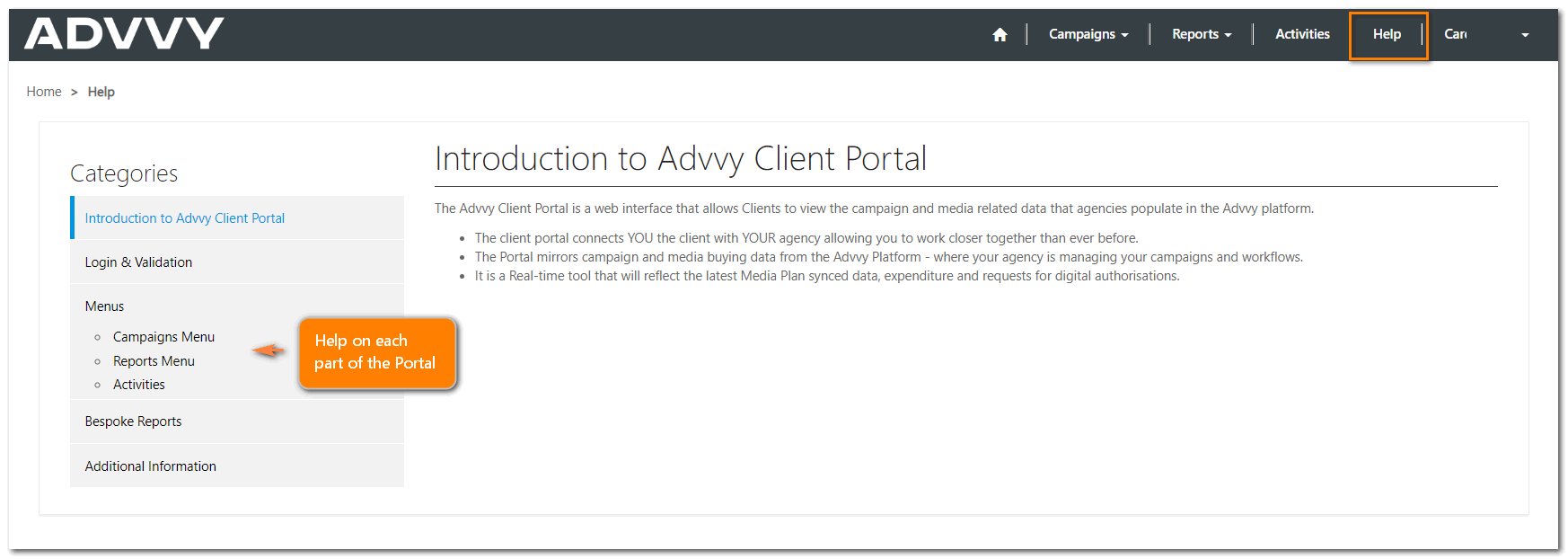
There is a general help guide available to help your clients navigate around the various Portal pages.
Important Information and Restrictions
It’s important for agency users to remember that the client portal presents a view of the data inside Advvy to their clients. Your Advvy customer success manager will be happy to provide onboarding specifically for the client portal.
If the client portal does not reflect the specific data needed, please reach out to your customer success manager to discuss what’s needed. If the data is recorded in Advvy, then it can be displayed in the client portal.
The Advvy client portal only connects to a single Client’s data inside Advvy. Data from two clients cannot be displayed in the client portal at the same time. If this is the case, two separate logins will need to be created.
Set up an Advvy Portal
Contact Advvy Support for licensing and setup.
Setting up a portal user
Please see our help guide: Create a Client Portal Login using the Azure Active Directory (AAD)